Minecraft Pocket Edition
Explore Minecraft Pocket Edition features, game modes, mobile controls, multiplayer, updates, and helpful tips for new players.
Security Verified
Minecraft Pocket Edition
Minecraft Pocket Edition is the name many players still use for Minecraft on phones and tablets. The mobile game is now part of Minecraft: Bedrock Edition. It lets you explore a world made of blocks, collect items, build homes, and play in your own style. You can start a small farm, dig for useful materials, or make a large town. The choice is yours.
If you are searching for Minecraft Pocket Edition download latest version, Android gameplay, or details about Minecraft PE 1.21 and 1.20, this guide will help you understand the game before you install it. It covers the main features, game modes, controls, multiplayer, price, updates, and common questions. The safest way to get the game is through the official app store on your device.
What Is Minecraft Pocket Edition?
Minecraft is a sandbox game from Mojang Studios. A sandbox game gives you tools and space to make your own goals. There is no single path that every player must follow. You can explore caves, build a base, grow food, visit different biomes, or create a detailed city.
The phrase “Pocket Edition” comes from the older name for the mobile release. Over time, the mobile game joined the Bedrock family. That is why store listings now use the name Minecraft rather than a separate Pocket Edition product. Many people still type Minecraft PE, pocket edition Minecraft, or Minecraft Pocket Edition Android when they want the phone version.
The mobile edition is made for touch screens. Its menus and controls are adjusted for phones and tablets. It also shares many features with other Bedrock platforms, although the exact experience can depend on the device, version, settings, and online services.
Main Features of Minecraft Pocket Edition
Open-World Gameplay
Each new world gives you space to explore. The landscape can include forests, deserts, oceans, mountains, caves, and villages. You can gather wood, stone, food, and other resources. Use them to craft tools and make a safe place to stay.
World generation makes each new map feel different. If you enjoy exploring, travel away from your starting point and look for new places. If you prefer building, choose a good spot and turn it into a home, farm, or base. You can also change the world settings when you create a new world.
Survival Mode
Survival Mode gives you a set of simple goals. Collect materials, keep your character safe, and plan what to do next. You need food, tools, and shelter. Night can bring hostile creatures, so a small home and a light source are useful early steps.
A good first session is simple. Collect wood, make basic tools, find food, and build a small shelter before night. Later, you can mine for better materials, grow crops, explore caves, and improve your equipment. Take your time. Learning one system at a time makes the game easier to enjoy.
Creative Mode
Creative Mode is for players who want to build without the usual survival limits. You can use a wide range of blocks and items. You can also fly around your world, which helps when you are making tall buildings or large designs.
Try a simple project first. Build a small house, a bridge, or a garden. Then add details such as paths, windows, lights, and trees. Creative Mode is also a useful place to test building ideas before you try them in Survival Mode.
Touch Controls for Android
Minecraft on Android uses on-screen controls. The layout can be changed in the settings, so take a moment to make it comfortable. Move around in a quiet area and practise looking, jumping, opening your inventory, and placing blocks. A short practice session can make building and exploring feel much smoother.
If the screen feels crowded, check the control and video settings. Lowering the render distance or turning down visual effects may help on a device that struggles to keep the game running smoothly. Close apps you do not need and keep enough free storage for updates and saved worlds.
Multiplayer and Cross-Platform Play
Minecraft Bedrock supports multiplayer features. Depending on the account, platform, privacy settings, and network, you may be able to join friends, featured servers, or a private Realm. Players on supported Bedrock devices can often play together even when they use different types of hardware.
For a private game, check that everyone has a compatible game version and the right multiplayer settings. Some online features require an internet connection and a Microsoft account. Realms is a paid subscription service, so check its current plan details before joining or starting one. Do not share your password or personal details with other players.
Skins, Add-Ons, and Texture Packs
You can change how your character looks with skins and character items. The Marketplace also offers worlds, add-ons, and other content. Some items are free, while others cost Minecoins or real money. Check the price and description before you get anything.
Add-ons can change parts of the game, such as creature behaviour, blocks, or world features. Texture packs change how blocks and items look. Only use content from sources you trust. Unknown files can be unsafe, may not work with your version, or may affect saved worlds. Back up worlds before trying major changes.
Minecraft Pocket Edition Gameplay Experience
The best part of Minecraft PE is that a world can fit a short play session or a long project. You might spend ten minutes collecting wood, or you might spend an afternoon building a village. The game does not force you to finish a fixed list of missions.
On a phone, small choices matter. Keep your inventory tidy. Store spare items in chests. Carry food when you explore. Mark the way back to your base with clear paths or signs. If you are mining, bring enough light and leave a clear route to the surface. These habits make it easier to enjoy a world over time.
Performance depends on your phone or tablet. A newer device may handle larger worlds and higher settings more easily. Older devices may need lower graphics settings. Keep the game and Android updated, but check that your device has enough free space before installing a large update.
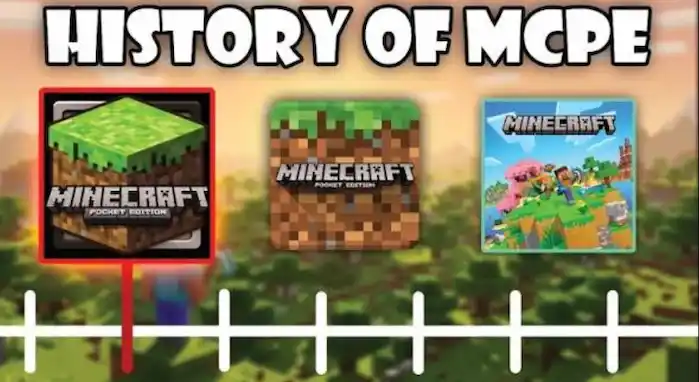
Minecraft Pocket Edition vs Bedrock Edition
Minecraft Pocket Edition is the older name people use for the mobile version. Bedrock Edition is the wider version family that includes mobile and several other platforms. So, when someone says “Minecraft PE,” they usually mean Minecraft on Android or iOS.
The mobile version is designed around touch controls. Other Bedrock platforms may use a controller, keyboard, or mouse. The core game is similar, but controls, performance, store options, and available features can vary by platform. Minecraft Java Edition is a separate PC edition and does not use the same cross-play system as Bedrock.
Android Compatibility and Performance Tips
Not every Android device has the same processor, memory, graphics support, or free storage. The official store page and Minecraft Help Centre provide the current device requirements. Check them before buying or updating the game. A device that can open the store page is not automatically guaranteed to run the game well.
For a smoother session, try these basic steps:
- Keep Android and Minecraft updated through trusted official channels.
- Leave free storage for game data, updates, and world saves.
- Close apps running in the background if the game feels slow.
- Lower video settings if you notice lag or overheating.
- Use a stable internet connection for downloads and online play.
- Back up important worlds before reinstalling the app.
Minecraft Pocket Edition Price
Minecraft for Android is generally a paid app. The exact price can change by country, store, tax, and promotion. For readers in India, open the Google Play Store listing while signed in to the correct account to see the current local price. Do not rely on an old screenshot or a price copied from another country.
The base game price does not mean every extra item is included. Marketplace content and Realms subscriptions may cost extra. Read the purchase screen before confirming payment. If you see a website promising a free full version of a paid app, be careful. Unofficial modified APK files can carry security risks, may not update, and may not support online features.
Latest Updates and Old Versions
Minecraft receives regular updates. New releases can add content, adjust gameplay, fix bugs, or improve performance. The version shown in the store may roll out at a different time across devices and regions. Check the official Minecraft release notes and the Google Play listing for the current stable Android release.
Searches for Minecraft Pocket Edition 1.21 130 download, Minecraft 1.20 Pocket Edition, and older releases such as 1.19, 1.17, or 0.18.0 often come from players who want a specific feature or a world that was made on an older build. These version numbers describe past releases; they should not be presented as the latest version today.
Older versions can have limits. They may lack current fixes, online compatibility, or support for newer Android versions. Worlds may change when opened in a newer release, so make a backup first. The official app store normally manages updates for the current app rather than offering a public menu of every historic Android build.
Pros and Cons
Pros
- A large open world with room to explore and build.
- Survival and Creative modes suit different play styles.
- Touch controls make the game playable on phones and tablets.
- Bedrock multiplayer can connect players on supported platforms.
- Skins, add-ons, and Marketplace content add more ways to customise play.
Cons
- The full Android game is paid in many regions.
- Large worlds and high settings can be demanding on older devices.
- Some online features need an internet connection or a subscription.
- Unofficial APK downloads can be unsafe or unreliable.
- Updates can affect add-ons or older worlds, so backups are important.
Frequently Asked Questions
What is Minecraft Pocket Edition?
It is the common older name for Minecraft on mobile devices. The mobile game is now part of Minecraft: Bedrock Edition.
Is Minecraft Pocket Edition still available?
The mobile game is still available as Minecraft on supported app stores. Search for the official listing by Mojang Studios rather than a separate Pocket Edition app.
Is Minecraft Pocket Edition free?
The full Android game is generally paid. The current price appears on the official Google Play listing for your country. Some Marketplace items and subscriptions cost extra.
What is the latest version of Minecraft PE?
The latest stable version can change as updates roll out. Check the Google Play listing and the official Minecraft release notes on the day you install.
Can I play Minecraft Pocket Edition on Android?
Yes. Minecraft is available for supported Android devices through Google Play. Check the store page and official device requirements first.
Can Minecraft PE be played offline?
Many single-player worlds can be played offline after the game is installed. Downloads, account sign-in, Marketplace access, Realms, and online multiplayer need a connection.
Can Pocket Edition players play with PC players?
Mobile Bedrock players can play with supported Bedrock platforms. Java Edition uses a different edition and does not normally share Bedrock cross-play.
What is the difference between Minecraft PE and Bedrock Edition?
Pocket Edition was the old mobile product name. Bedrock Edition is the wider family of versions used on mobile and other supported platforms.
Can I install an old Minecraft version?
Official stores usually provide the current supported release, not a public archive of every old build. Older files from unknown sites can be unsafe and may not work.
Does Minecraft Pocket Edition support multiplayer?
Yes. Bedrock multiplayer options include friends, servers, and Realms, depending on the platform, account settings, version, and subscription.
Conclusion
Minecraft Pocket Edition remains a familiar name for the mobile version of Minecraft. Today, that version is part of Bedrock Edition. It offers open-world exploration, building, Survival and Creative modes, custom content, and multiplayer options on supported devices.
If you are new to the game, start with the official Android listing, check your device requirements, and choose a mode that suits you. Use trusted sources for updates, keep a backup of worlds you care about, and check local prices before buying extra content. Whether you call it Minecraft PE or Minecraft Bedrock on mobile, the main idea is the same: make a world, explore it, and build something of your own.